Portpeek
Vibe coded Mac app, 2026
See what is listening on your ports, from a corner of the screen.
Details
- Role
- Design and direction, vibe coded
- Built with
- Swift, SwiftUI, AppKit
- Platform
- macOS 14+, Apple Silicon and Intel
- Year
- 2026
- Source
- Open, MIT, v0.3.0
What it does
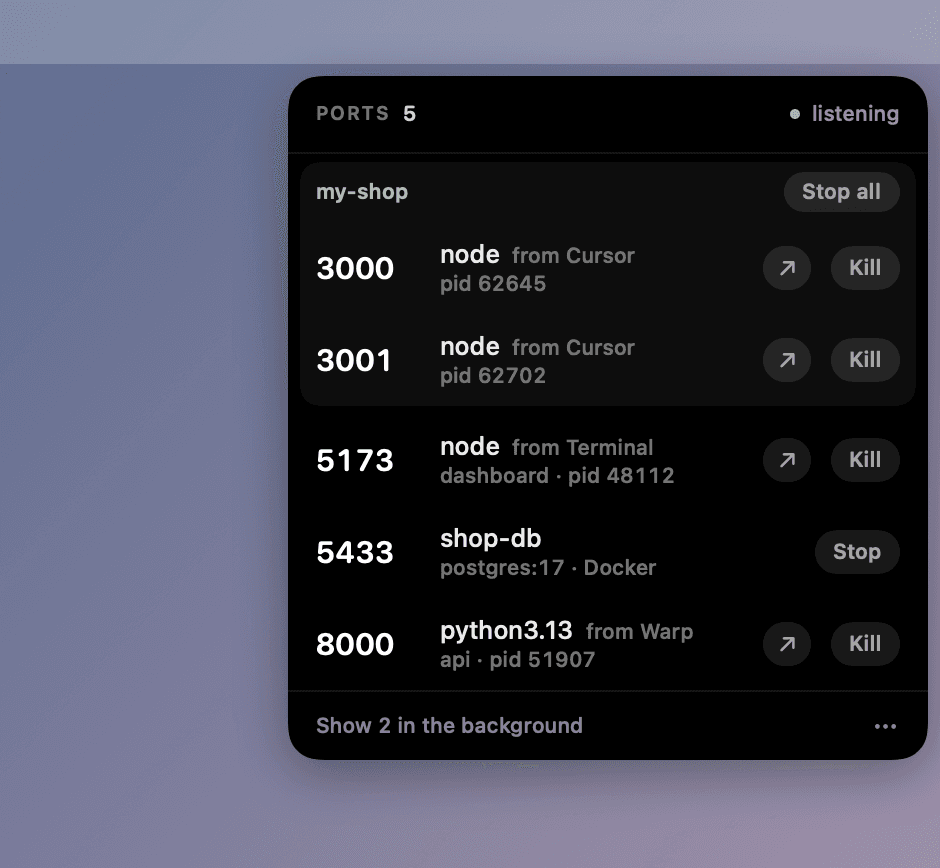
Address already in use, then a search for the lsof incantation, a PID, a kill. Portpeek is that without the terminal: push the pointer into a corner of the screen and every listening port is there, with the process and project behind it and a button to stop it.
Design notes
A corner is the largest target on a screen
The pointer cannot overshoot it, so there is nothing to aim at. Any of the four corners can be the one.
Nothing until asked
No menu bar icon, no Dock icon, no window. The panel grows out of its corner and shrinks back into it, and it only scans while it is open.
Whose port it is
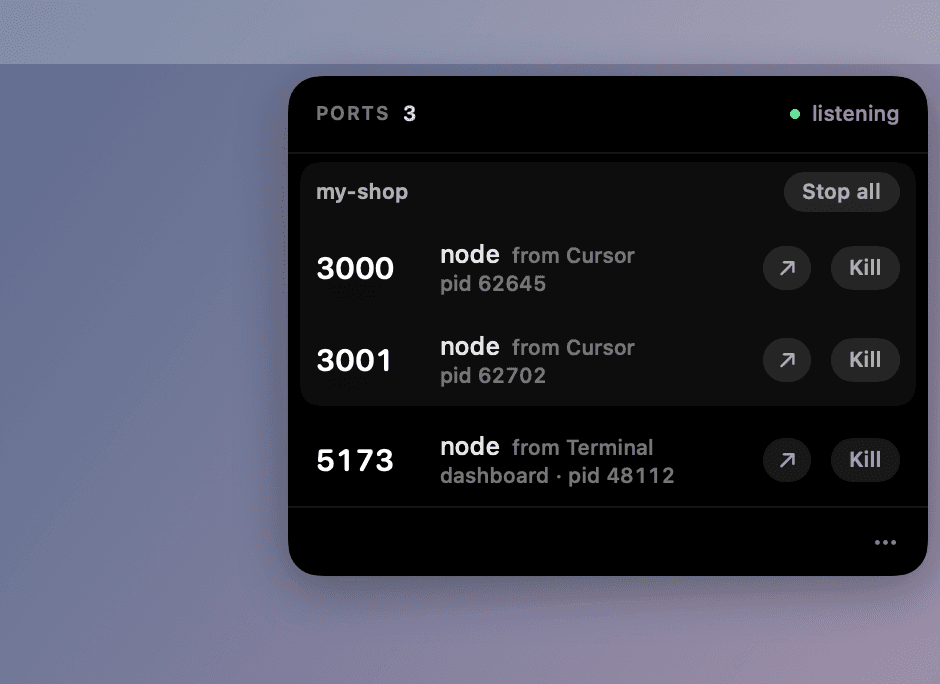
Each row names the folder the process was started in and the app it was started from. Click the app to go back to it.
A project is one thing
A dev server and its API share a folder, so they share a heading and one Stop all.
Polite first
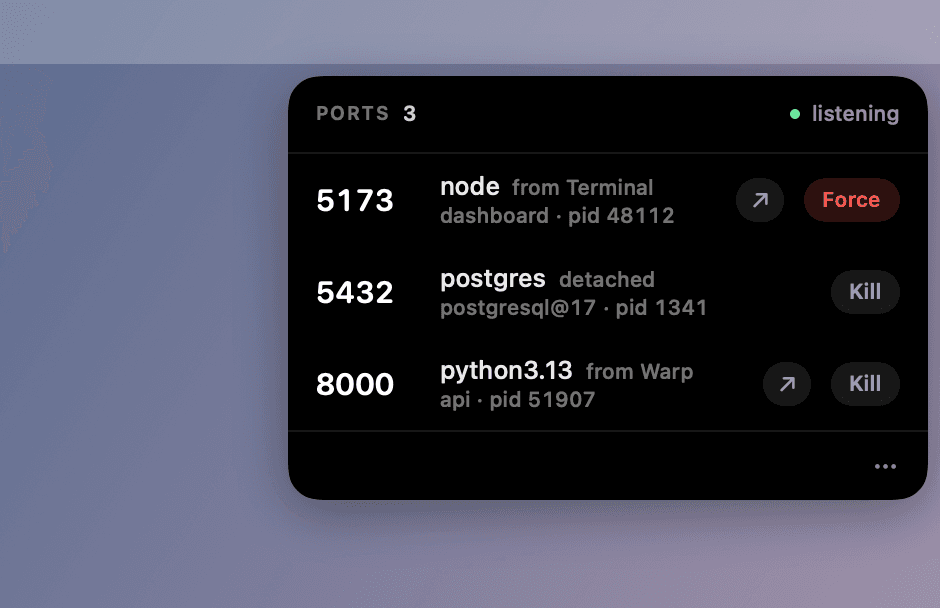
Kill asks the process to quit so it can clean up. Force is offered only after that has failed.
Noise stays out
AirPlay, Handoff and app helpers on random ports are tucked behind one line at the bottom.
The rest, one click in
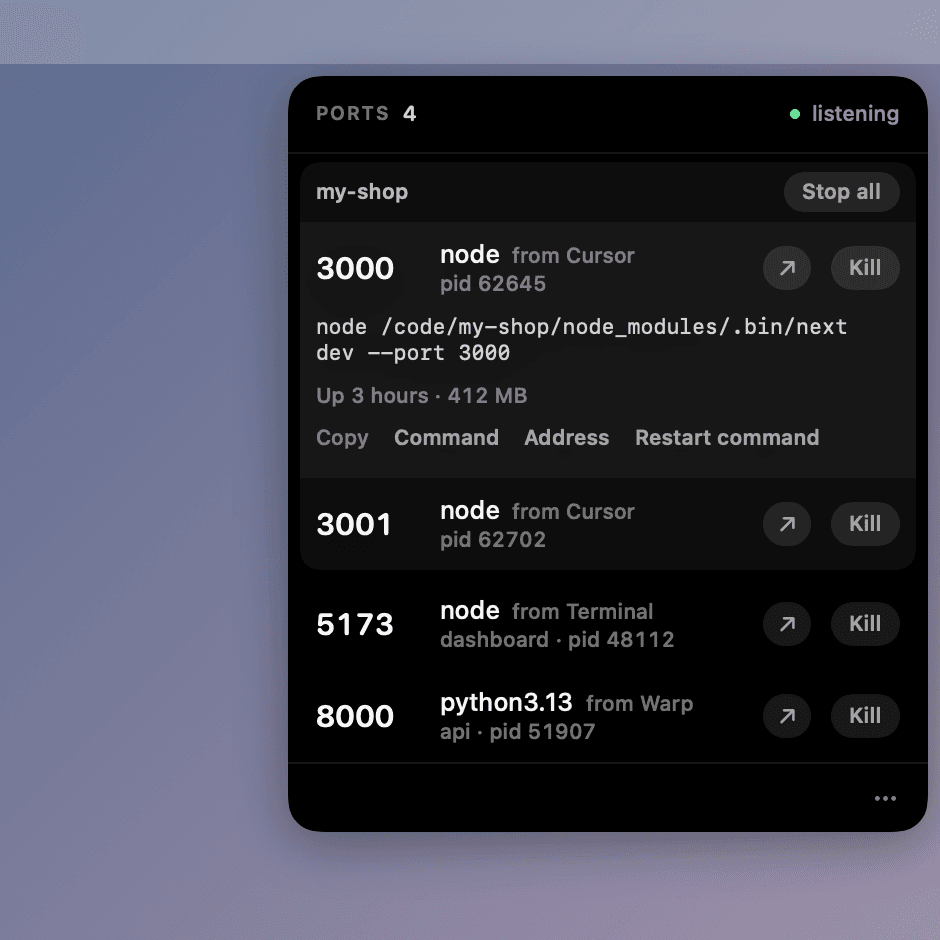
A row opens to the full command line, how long it has run and its memory, with the command to start it again.
Containers by name
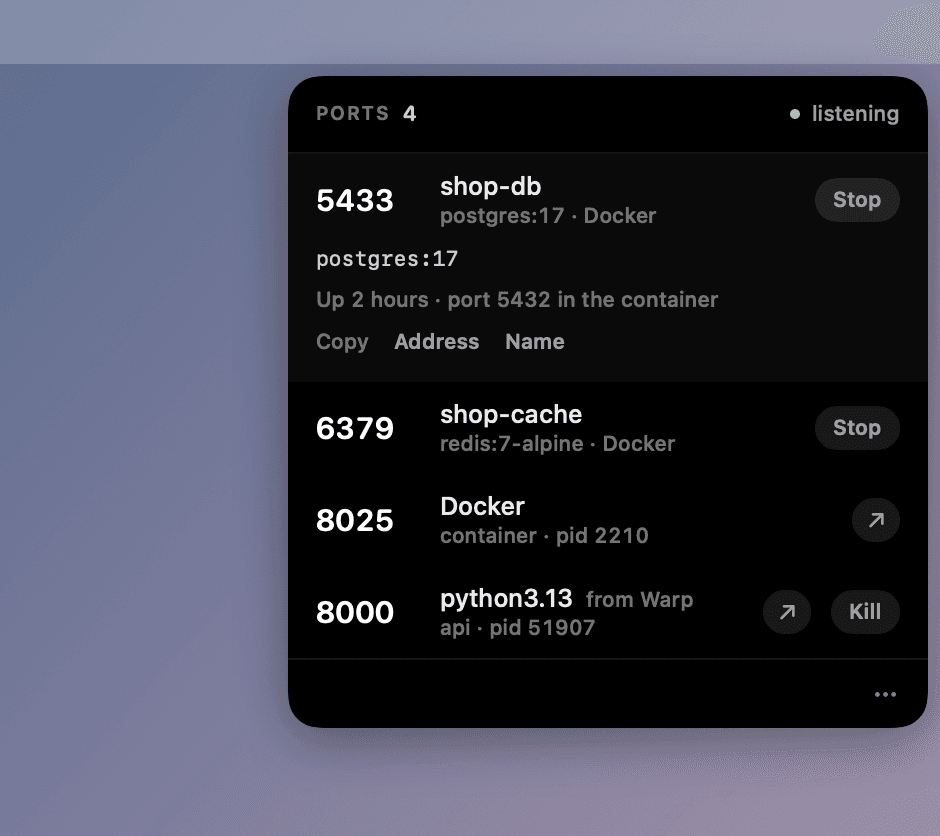
A Docker port shows the container that published it, and Stop stops that container, never Docker itself.
Also a command
portpeek lists ports, portpeek kill 3000 frees one, for the times the hands are already in a terminal.
Color means something
Green is listening. Red is the destructive button, and only under the pointer.
More screens
Source
Portpeek is open source under the MIT licence. The code is on GitHub.